

TL;DR:
- Proper AV planning requires understanding venue, event format, and audience needs.
- Essential AV components include microphones, speakers, displays, lighting, and cabling.
- Flexibility and quick adaptation are crucial for handling unforeseen technical issues during events.
Planning a conference without a structured AV equipment list is like building a stage without checking the floor first. One overlooked cable, an underpowered speaker, or a missing backup microphone can unravel hours of careful preparation. Corporate event planners across Australia know the pressure of delivering flawless events, yet AV is consistently one of the most underestimated planning areas. This article walks you through a practical, checklist-driven approach to AV selection, from evaluating your requirements and assembling your core kit to comparing options and building contingency plans that protect your event on the day.
Table of Contents
- How to evaluate your AV requirements for conferences
- Essential AV equipment components: the conference core list
- Lesser-known but impactful AV additions
- Conference AV comparison table: choose what works for your event
- AV checklist: your decision-making tool
- Why the perfect AV equipment list is about flexibility, not just completeness
- Ready for a seamless conference? Explore professional AV solutions
- Frequently asked questions
Key Takeaways
| Point | Details |
|---|---|
| Know your requirements | Assess venue size, event type, and audience needs before choosing AV equipment. |
| Cover all essentials | Include sound, display, lighting, and control gear on your shopping list. |
| Consider advanced AV | Hybrid features and audience engagement tools can elevate your event. |
| Always prepare backups | Test equipment ahead of time, and have spares on hand for emergencies. |
| Customise for your event | Select equipment packages that match your conference goals and unique challenges. |
How to evaluate your AV requirements for conferences
Before you order a single piece of equipment, you need a clear picture of your event’s specific demands. Identifying venue size, event format, and audience expectations are foundational for AV planning, and skipping this step is where most costly mistakes begin.
Start with the venue itself. A large ballroom with high ceilings behaves very differently from a mid-sized boardroom. Acoustics, ceiling height, natural light, and existing infrastructure all shape what equipment you’ll need. A venue with poor acoustics may require additional speaker arrays or acoustic panels, while a bright room might demand higher-lumen projectors.
Next, clarify your event format. A keynote presentation has different AV demands than a panel discussion, a hybrid workshop, or a product launch. Hybrid events, in particular, require an additional layer of planning because you’re simultaneously serving in-room and remote audiences.
Consider these common planning oversights that trip up even experienced organisers:
- Underestimating the number of microphones needed for Q&A sessions
- Forgetting to account for cable runs between equipment and power sources
- Not confirming venue-supplied AV versus what must be hired in
- Overlooking accessibility requirements such as hearing loops
- Failing to plan for presenter rehearsal time and technical run-throughs
Using AV management checklists and reviewing AV best practices before finalising your equipment list will help you avoid these gaps.
Pro Tip: Always build at least 90 minutes of buffer time into your event schedule for AV setup and testing. Rushed setups are the number one cause of on-the-day technical issues.
Essential AV equipment components: the conference core list
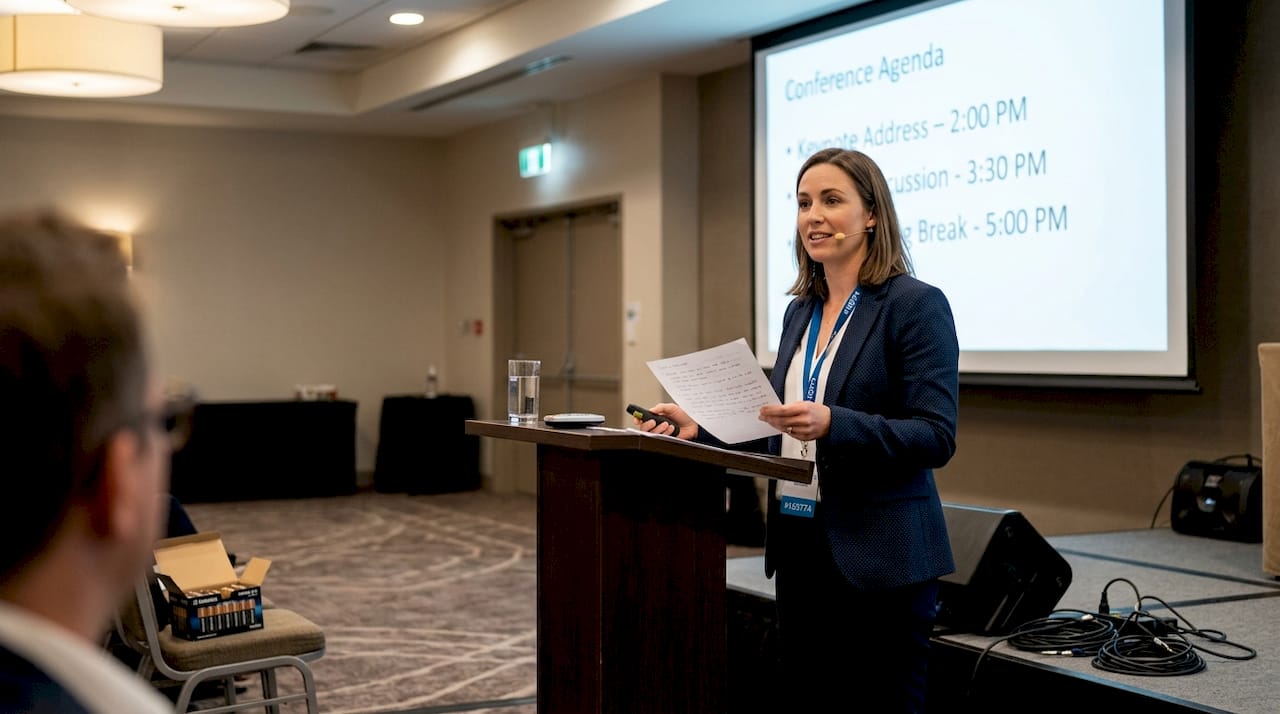
Once your requirements are clear, you can assemble your conference AV kit from these essentials. A core AV package for conferences includes sound, display, and lighting elements to ensure effective communication.
Here is a numbered breakdown of every must-have component:
- Microphones: The foundation of clear audio. Choose from handheld wireless mics for roving presenters, lapel (lavalier) mics for hands-free delivery, or boundary mics for panel tables. Explore conference microphone options to match your format.
- Speakers and PA systems: Distribute sound evenly across the room. Installed ceiling speakers suit smaller venues, while line array systems handle large conference halls with precision.
- Audio mixer: Controls and balances all audio inputs and outputs. A digital mixer offers greater flexibility and recall settings between sessions.
- Projectors or LED displays: Projectors work well in darkened rooms, while high-brightness LED panels perform better in ambient light. Screen size should match room depth.
- Presentation clickers and switchers: Allow presenters to advance slides and switch inputs without interrupting flow.
- Stage and ambient lighting: Proper lighting ensures presenters are visible on camera and to the audience. Uplighting adds atmosphere without complexity.
- Cabling and signal distribution: HDMI, XLR, and CAT6 cables connect your entire system. Always bring spares.
- Control panels and AV racks: Centralise system management for quick adjustments during the event.
“Sound, display, and lighting work together as a system. Weakness in any one area reduces the impact of the others.”
Every item on this list serves a specific function. Cutting corners on any one of them creates a weak link in your overall production.
Lesser-known but impactful AV additions
With your basics locked in, consider these extra tools to maximise event professionalism and engagement. Utilising advanced AV tools like live-streaming kits and audience response systems ensures inclusive and engaging events.
- Live streaming and recording kits: Essential for hybrid conferences. A dedicated streaming encoder, camera, and capture card allow you to broadcast to remote attendees in real time while archiving the session for post-event use.
- Audience response and polling systems: Tools like keypads or app-based polling let attendees vote, respond to questions, and participate actively. This dramatically lifts engagement, especially in longer sessions.
- Assistive listening systems: Hearing loops and FM receivers ensure delegates with hearing impairments can fully participate. In Australia, this is also a consideration under accessibility obligations.
- Confidence monitors: Placed at the front of the stage, these screens show presenters their slides and speaker notes without them turning their backs to the audience. A small addition that makes a significant difference to delivery quality.
- Backup power and UPS units: An uninterruptible power supply (UPS) protects your AV system from sudden power fluctuations or outages. In high-stakes conferences, this is non-negotiable.
Explore advanced AV innovations to see how these tools are being integrated into modern corporate events across Australia.
Pro Tip: Budget at least 10 to 15 per cent of your total AV spend on backup devices and redundancy. The cost of a failed event far outweighs the investment in spares.
Conference AV comparison table: choose what works for your event
Sometimes the best way to decide is by comparing options side by side. Professional AV solutions provide up to 40% higher ROI for conferences by boosting attendee engagement and reliability, making informed equipment choices a genuine business decision, not just a technical one.
| Equipment | Key features | Best for | Limitations | Hire tips |
|---|---|---|---|---|
| Wireless lapel mic | Hands-free, discreet | Keynotes, solo presenters | Limited range, battery-dependent | Always carry spare batteries |
| Line array speakers | Even coverage, scalable | Large halls, 200+ attendees | Higher cost, complex setup | Confirm rigging points with venue |
| LED display panel | Bright, sharp image | Ambient light environments | Heavy, requires mounting | Check weight limits and power draw |
| Moving head lights | Versatile, programmable | Product launches, gala dinners | Requires DMX operator | Pair with a lighting console |
| Streaming encoder | Real-time broadcast | Hybrid and virtual events | Needs stable internet | Test upload speed on-site beforehand |
| Audience polling system | Live interaction, instant data | Workshops, training sessions | App reliance, Wi-Fi dependent | Provide clear instructions to delegates |
Refer to audio setup guidelines when configuring speaker placement and signal flow for different room sizes. Smaller events with under 50 attendees can often rely on compact column speakers and a basic mixer, while events above 300 delegates typically need a full PA system with dedicated front-of-house mixing.
AV checklist: your decision-making tool
After breaking down the options, here is an actionable checklist you can use for your next event. A thorough AV checklist streamlines setup and ensures every conference runs smoothly.
- Confirm venue AV infrastructure: Identify what is already installed and what must be hired.
- Finalise equipment list against event format: Cross-reference your format (keynote, panel, hybrid) with the components above.
- Book equipment and crew early: Skilled AV technicians and in-demand gear book out quickly, especially during peak conference seasons.
- Conduct a site inspection: Walk the venue with your AV provider to identify power points, rigging options, and cable run paths.
- Schedule a full technical rehearsal: Run every input, output, and transition before the first delegate arrives.
- Test backup systems independently: Power on your UPS, switch to backup microphones, and confirm your streaming failover works.
- Brief your AV team on the run sheet: Ensure every technician knows cue points, presenter changeovers, and emergency protocols.
- Prepare a troubleshooting contact list: Have direct lines to your AV supplier and venue technical manager on hand.
- Conduct a post-event packdown review: Note what worked, what didn’t, and what to adjust for next time.
Review the full AV checklist for events and align it with your AV event management process for a structured approach from brief to bump-out.
Why the perfect AV equipment list is about flexibility, not just completeness
With your checklist in hand, here is what most planners miss about real-world event execution.
A detailed equipment list is genuinely valuable. But in our experience working across conferences of all sizes in Australia, the events that run most smoothly are not always the ones with the most gear. They are the ones where the team adapted quickly when something unexpected happened.
A keynote presenter arrives with a different laptop connector than specified. A venue’s house system cuts out 20 minutes before doors open. A panel grows from four speakers to six the morning of the event. These are not rare scenarios. They happen regularly, and no static list fully prepares you for them.
What does prepare you is working with a provider who carries spare inventory, knows how to reconfigure on the fly, and treats your event brief as a living document rather than a locked specification. Customising AV solutions for each event’s unique demands is what separates a good AV outcome from a great one.
“Adaptability is the most underrated item on any AV checklist.”
Plan thoroughly. But choose partners who can move when plans change.
Ready for a seamless conference? Explore professional AV solutions
Building your AV equipment list is a strong start, but translating that list into a flawless event experience takes skilled coordination, reliable gear, and experienced technicians who know how to deliver under pressure.
At Conference Audio Visual, we specialise in end-to-end professional AV solutions for corporate conferences and business gatherings across Australia. From initial planning through to on-the-day technical support, our team works with you to build a custom AV package that fits your event format, venue, and budget. Explore our detailed AV equipment guide or contact us today to receive a flexible, obligation-free quote tailored to your next conference.
Frequently asked questions
What AV equipment is absolutely essential for a business conference?
At a minimum, you need microphones, speakers, a mixer, projection or display screens, lighting, and all connecting cables. Essential AV for conferences includes sound, projection, and lighting working together as an integrated system.
How can I avoid AV failures during my conference?
Test all equipment thoroughly before the event, have backup devices ready, and ensure technical support is available throughout the day. Testing and redundancies are the most reliable safeguards against on-the-day equipment failure.
What’s the benefit of adding advanced AV technology?
Advanced AV boosts engagement, supports hybrid and virtual attendees, and improves accessibility for diverse groups. Advanced AV supports engagement and inclusivity across all conference formats.
Do I need different AV for large versus small conferences?
Larger conferences require more powerful systems, additional microphones, and extra backup capacity, while smaller events can use compact AV setups effectively. Event size determines the equipment scale and level of redundancy required.